Every deliverable.
One table.
Always current.
Your media plan lists every creative that needs to be built. The Production Plan in advox is that list — and each row links directly to the actual asset and its real approval status.
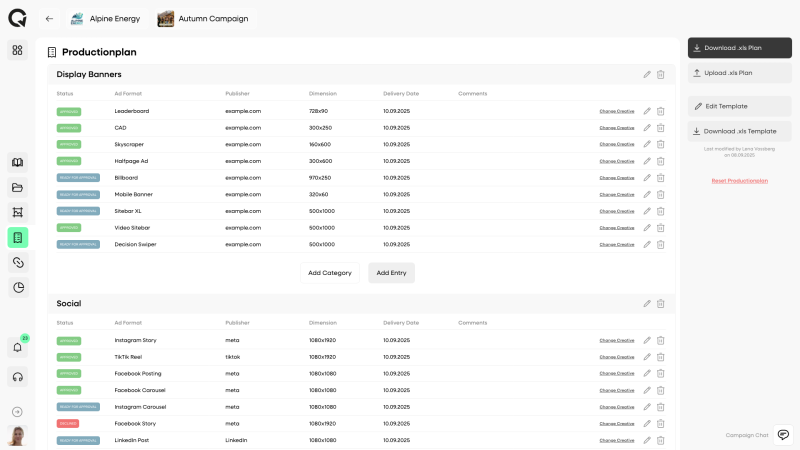




The deliverables list exists.
It just doesn’t know what’s approved.
Every agency has a media plan or creative brief in Excel. It lists every format, every publisher, every size. But it has no idea which assets are done, which are in review, and which still need to be built.
“Which ones are still missing?”
Someone has to manually cross-reference the deliverables list against the asset folder — every single status update.
The Excel is always one version behind.
Creative gets approved, someone forgets to update the spreadsheet. The plan says “Pending” for assets that went live two days ago.
No link between plan and asset.
You know 300×250 for a specific publisher needs to be built. But which file in Drive is the current approved version? Nobody’s sure.
Wrong creative gets booked.
Without a direct link between plan row and asset, traffickers have to find the file themselves. Wrong version, different folder — it happens.
Your deliverables list,
connected to your actual assets.
The Production Plan is a structured table inside the campaign. Each row is one deliverable. Each row can be linked to the actual asset — and the status updates automatically.
Build or import your plan
Create categories (Display Banners, Videos, Social) and add rows manually — or upload your existing Excel plan directly. The column structure is fully customizable.
Assign a Creative to each row
Link each deliverable to the actual asset in advox. One click. The row now knows which file it represents — and reflects its real status automatically.
Status updates itself
When a linked creative gets approved, the status badge on the plan row turns green. No manual updates. The plan is always accurate, always in sync with the actual asset state.
Organize by category.
Configure your columns.
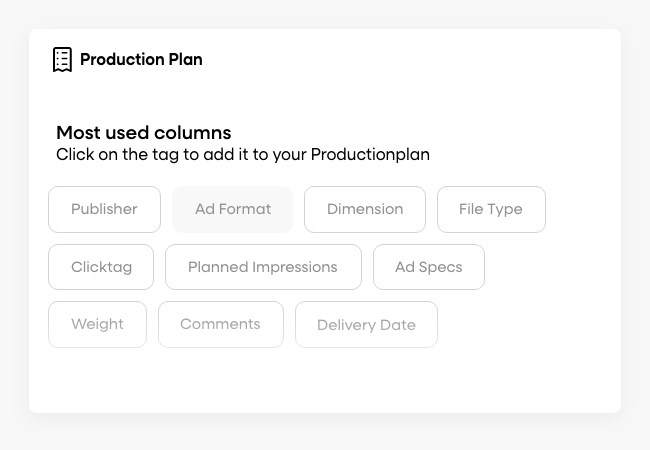
Group your deliverables into categories — Display Banners, Videos, Social, whatever your campaign needs. Each category can have its own column structure: Publisher, Dimensions, Language, Market, Placement — fully configurable.
- Custom columns per category — not one rigid structure for everything
- Edit and delete individual rows without disrupting the rest
- Save as a template — reuse the same structure for every new campaign
Template system: once you’ve configured the column structure for your typical campaigns, save it as a template. Every new campaign starts with your exact structure — no setup from scratch.
Link the plan row
to the real asset.
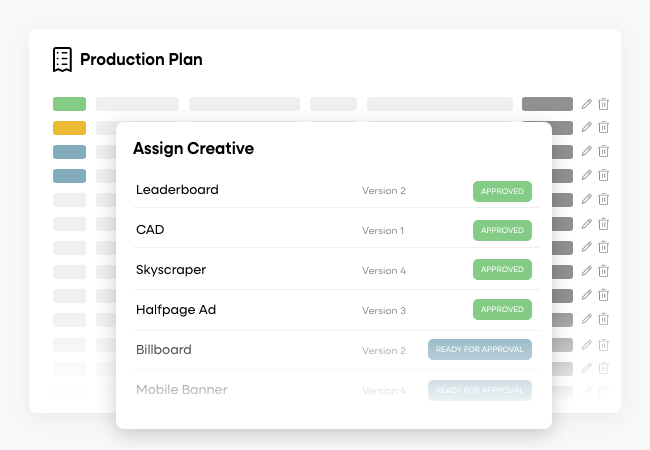
Each row in the Production Plan can be linked to any creative asset in the campaign. Once assigned, the status badge reflects the actual approval state of that asset — automatically, in real time.
- Click “Assign Creative” on any row → pick from campaign assets
- Status syncs: Pending → In Review → Approved, no manual update
- Click the linked file to jump straight to the asset
- Unassigned rows stand out clearly — nothing slips through
No more guesswork: the trafficker opens the Production Plan, sees exactly which creative is approved for which placement, and clicks directly to the asset. The right file, every time.
Start with your
existing media plan.
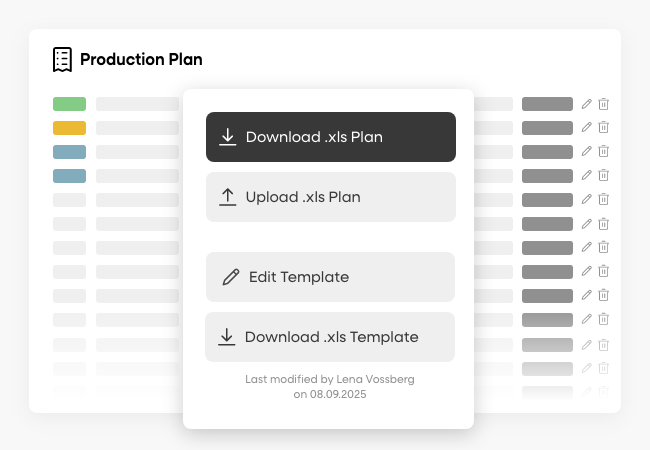
Don’t want to rebuild from scratch? Upload your existing .xls plan directly. advox reads the structure and imports your rows. You can also download the current plan at any time — as a properly formatted Excel file for sharing or archiving.
- Upload your existing Excel plan → rows are imported directly
- Download the current plan as .xls anytime — for clients, billing, archiving
- Download a blank template in the exact column structure you’ve configured
- Edit Template: change which columns are included before the next import
Before & after
Deliverables list meets actual asset status.
WITHOUT ADVOX
- Excel plan with 40 rows — status column filled in manually, always lagging
- Someone has to open Drive, find the file, check if it's the latest version
- "Is the 300×250 approved?" requires checking email or pinging the designer
- Trafficker downloads wrong version — plan said Approved but file was v1 not v3
- Sharing the plan means exporting, formatting, emailing — every time
- 2–3h per campaign tracking delivery status manually
WITH ADVOX
- Open Production Plan — every row shows live approval status of the linked asset
- Click the linked creative to jump directly to the asset
- Status updates the moment the creative gets approved — no manual sync
- Trafficker opens plan, clicks the file, books the right version
- Download .xls anytime for the client or for archiving — current state, formatted
- Zero manual status tracking — the plan knows what's approved
More than just a table.
The Production Plan is part of the campaign — not a standalone tool. It connects directly with approvals, versioning, and delivery.
Lives inside the campaign
The plan is attached to the campaign — not a separate document someone has to find. Everyone with workspace access sees it. Always the current version.
Template system
Configure your column structure once and save it as a template. Every new campaign starts with your exact setup — no rebuilding the same table from scratch.
Direct link to assets
Each assigned creative is one click away. From plan row to the actual file — no switching between tools, no guessing which file is current.
Status always in sync
Approval status on the plan row reflects the real state of the linked asset. Asset gets approved → plan shows Approved. No manual update required.
Excel in & out
Import your existing media plan from Excel. Export the current state at any time. The column structure follows what you’ve configured in the template.
Visible to the whole team
Account managers, traffickers, creatives — anyone with access to the campaign sees the same plan. No one needs to ask what’s approved and what isn’t.
Every deliverable tracked.
From €3/month.
The Production Plan — table structure, category management, Excel import/export, Assign Creative — is included in every advox plan, including Lite.
Straight answers.
Most questions about the Production Plan come down to how it connects to the rest of the campaign.
Does this replace our existing media plan Excel?
Can we still export the plan as an Excel?
What happens to the plan when the creative is updated?
Can clients see the Production Plan?
The plan knows
what’s approved.
Production Plan is included in all advox plans — from Lite at €3/month. Import your existing Excel, link your assets, and stop tracking status manually.
- Included in all plans
- Self-signup in 2 minutes
- EU Hosting · GDPR compliant
- Cancel anytime